Available in US only
The initial rollout of this application is limited to the US market. Global availability is planned for a future release pending localization, compliance, and infrastructure readiness. Stay tuned for updates.
Overview
Medit AuraVue is a web-based consultation tool that uses 3D scan data and radiographs (X-ray) to support clear and effective communication between doctors and patients. The application helps doctors assess and take notes on a patient’s oral health during their visit, accompanied by corresponding visuals. In doing this, doctors can leverage 3D scan data as well as radiographs that contain AI-driven analysis conducted by Overjet, an FDA-approved third-party program. All findings are then organized into a patient-oriented dental report that includes visual representations of the identified pathologies, simplified explanations of diagnoses, proposed treatment options, and estimated costs. The finalized report is saved as a PDF file, which can be shared directly with the patient to support discussion and record keeping. An active internet connection is required in order to use the application.
🔎Note
Overjet is fully integrated into Medit AuraVue and does not require separate installation or configuration.
Intended Use
AuraVue is a patient consultation and communication application that displays diagnostic results generated by Overjet.ai (FDA-approved) software. AuraVue does not analyze, interpret, or provide diagnoses.
Disclaimer
Medit AuraVue was not developed for medical or clinical use. As such, it cannot be used for the following purposes:
diagnosing, treating, mitigating, or preventing diseases/injuries/disorders.
inspecting, replacing, or transforming a structure or function.
The software is meant to be used as a visual aid during patient consultations or as a tool for analysis tasks. The generated simulation and analysis results should not be used as the sole source of healthcare guidance.
Medit does not take responsibility for any miscommunication or improper use of the software and is not liable to either the user or the patient for any decisions or actions taken in reliance on the information given by the software.
The user assumes full responsibility for the following:
generated results and their further interpretation and communication to the patient
informing the patients that the results produced by the software may not be precise or reliable
actions and treatment decisions based on the generated results
The final report file is intended for reference purposes only and does not constitute a medical history. For a comprehensive diagnosis and treatment plan, please refer to the official medical records.
System Requirements
Hardware Requirements
Windows | macOS | |
|---|---|---|
CPU | Intel Core i5 2.6 GHz or higher | 8-core or higher |
Chip | - | M1/M2 or higher |
RAM | 16 GB or higher | 16 GB or higher |
Graphics Card | NVIDIA GeForce GTX 1060(2 GB) or higher | - |
Software Requirements
Windows | macOS | |
|---|---|---|
OS | Windows 10 64-bit, Windows 11 64-bit | Monterey 12 |
Browser Support
Google Chrome
Microsoft Edge
Safari
Installation Guide
Log in to your Medit Link account and go to the App Box on the left-hand menu.
In the Medit Apps tab, find the Medit AuraVue app and click "Install."
(1).png)
Read the Software License Agreement and confirm app installation by clicking "Accept and Install."
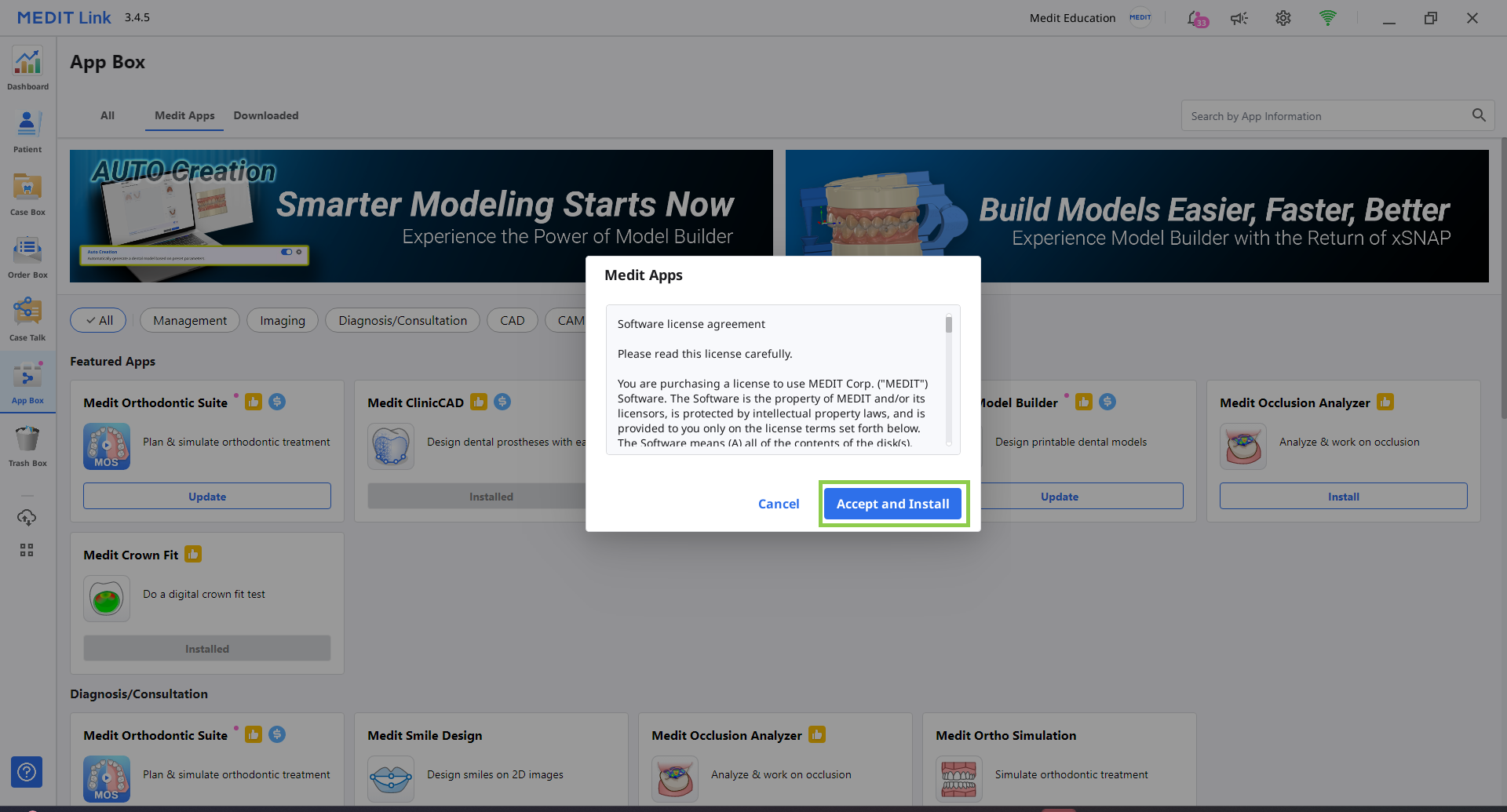
The app will be downloaded and installed automatically. It may take several minutes to finish the installation process.
⚠️Caution
Do not turn off the PC or close Medit Link during the installation process.
Once the app is installed, you can run it from any case in Medit Link by clicking the app icon in the top right corner of the Case Details window.

To uninstall an app, go to the App Box and click the app card to open its details page, where you’ll find the Uninstall option.