Dashboard Overview
You can view the statistics for all the work done on Medit Link in visualized graphs and charts - both in the Medit Link App and Web.
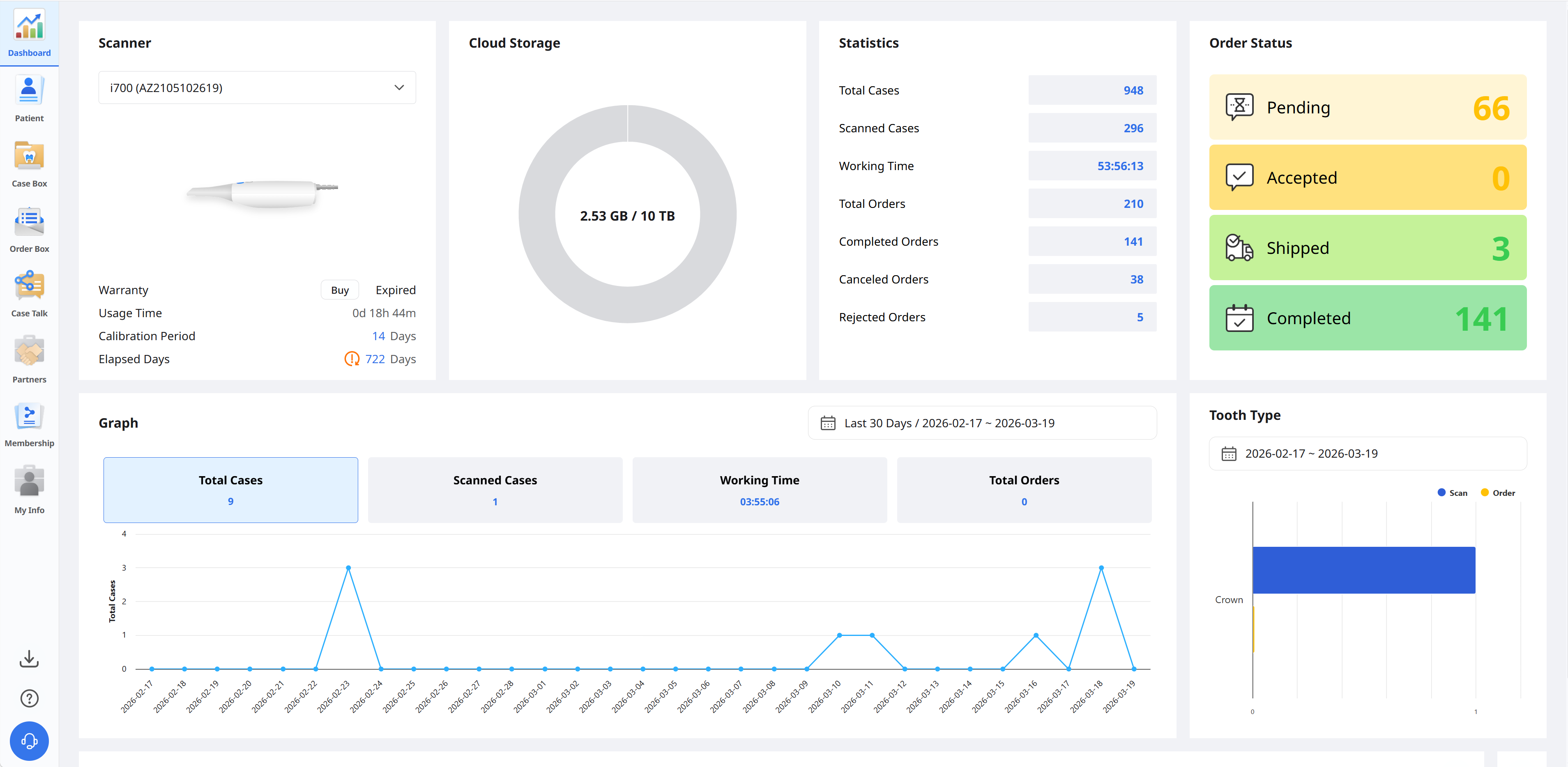
Graphs and charts in the dashboard show statistics for all the work done in Medit Link.
Scanner | Provide information about the active scanners, including warranty, scanner usage time, calibration interval, and calibration elapsed time. |
Cloud Storage | Display the total capacity of the cloud and the amount in use. |
Statistics | Provide statistics on cases based on job status. |
Order Status | Provide statistics on cases based on order status. |
Graph | Graph job information by period. |
Tooth Type | Provide statistics on the number of scans and orders by treatment information. |
Medit Insights
Medit Insights is a reporting service that helps you analyze your usage statistics.
🔎Note
The following service is not available on Medit Link China.
Medit Insights

Subscribe Medit Insights
You can receive a report email on the second day of every month. No additional sign-up process is required. Just enable "Subscribe Medit Insights."
If you don't use the email address you used for the Medit Link account, you can set another email address to receive Medit Insights.
On the second of every month, you will receive an email with statistics, as shown below.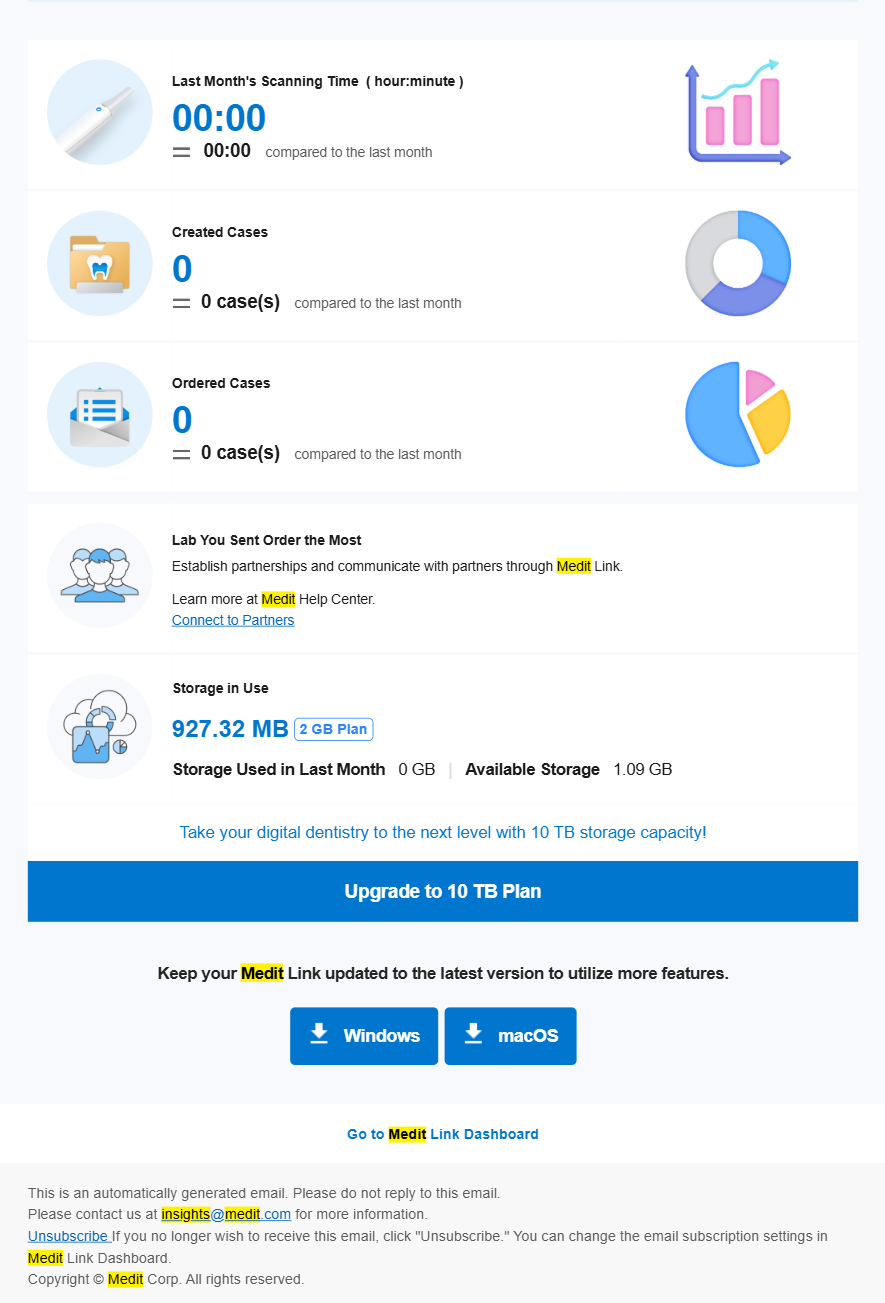
Banner | Medit provides useful tips and information here. |
Statistical Information | The statistics information is displayed, such as scanning time, created cases, most ordered lab, etc. |
Medit Link Download | The button provides the download link of the Medit Link. |
Dashboard | All statistical information is based on your Dashboard information. You can see more details in the Dashboard. |
Unsubscribe Medit Insights
Disable "Subscribe Medit Insights" in Dashboard or click "Unsubscribe" in the received email.